

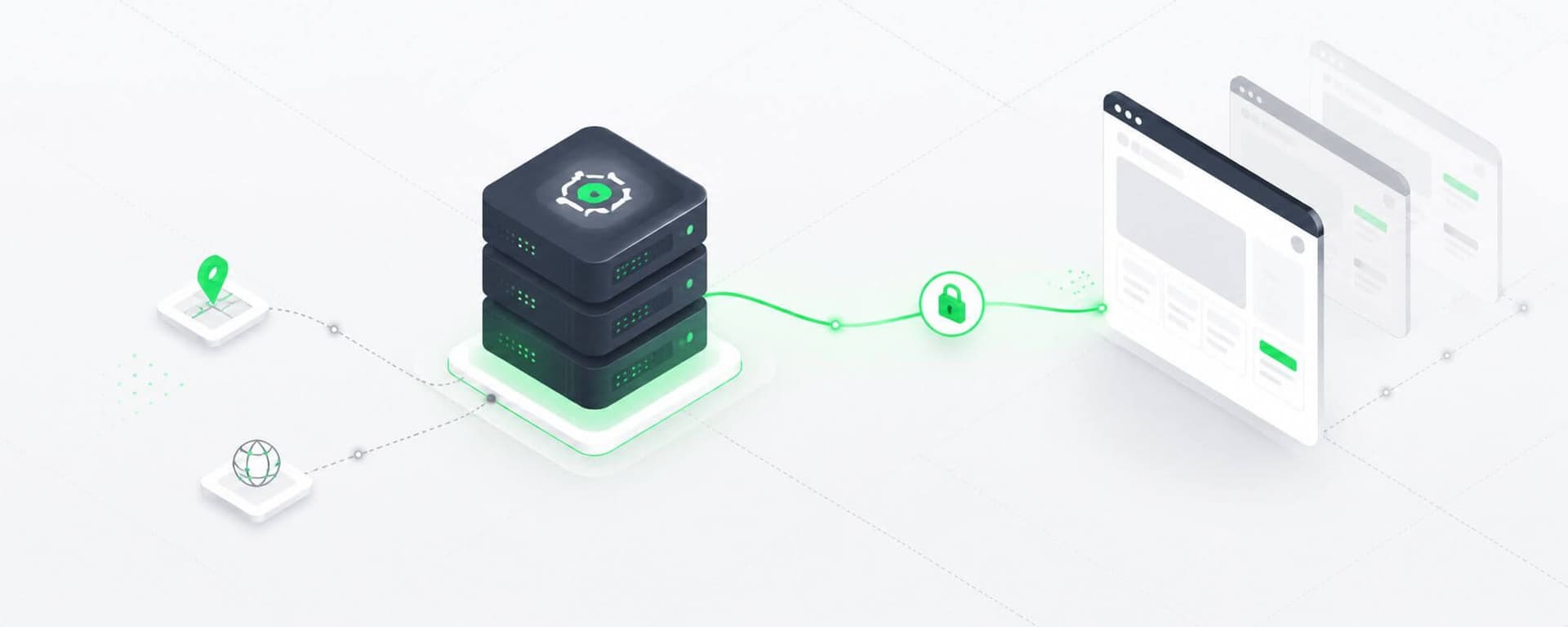
Static IP proxies are useful when an application needs a predictable outbound IP address across multiple requests.
They are commonly used for long-running sessions, IP allowlisting, QA testing, monitoring, account-based workflows, and other applications where repeatedly changing the network identity would create unnecessary complexity.
But static proxies and sticky proxy sessions are often confused.
The distinction is simple:
Both provide IP continuity, but they solve different infrastructure problems.
Understanding that difference is important when choosing between static, sticky, and fully rotating proxy architectures.
A static IP proxy routes traffic through a proxy address that remains stable instead of automatically changing between requests.
A simplified request path looks like:
Application
    ↓
Static Proxy
203.0.113.10
    ↓
Destination
Subsequent requests continue through the same address:
Request 1 → 203.0.113.10
Request 2 → 203.0.113.10
Request 3 → 203.0.113.10
The exact assignment period depends on the provider.
A static proxy may remain assigned for:
Static does not necessarily mean permanent.
It means the address is intentionally stable rather than automatically rotated as part of normal request handling.
This is the most important distinction on the page.
A sticky session does not necessarily give you a permanently assigned IP.
Instead, a provider temporarily maps a session identifier to an available proxy.
For example:
session=abc123
      ↓
Proxy Gateway
      ↓
203.0.113.42
Requests using that session continue through 203.0.113.42 while the sticky session remains valid.
After the session expires, the provider may assign another address.
| Feature | Static Proxy | Sticky Session |
|---|---|---|
| IP persistence | Long-term | Temporary |
| IP assigned directly | Usually | Usually through a gateway |
| Automatic rotation | No, unless configured | Yes after session expiration |
| Best for | Stable identity, allowlisting, persistent infrastructure | Short-lived stateful workflows |
| Pool type | Often datacenter or ISP | Common with rotating proxy networks |
| Control over exact IP | Usually higher | Usually lower |
| Typical duration | Days, weeks, or subscription period | Minutes to hours, provider-dependent |
The broader fixed IP vs rotating proxy comparison explains the architectural trade-offs between long-term identity stability and pool-based traffic distribution.
Many HTTP requests are technically independent, but real applications often perform several related actions.
Consider:
Start session
    ↓
Load page
    ↓
Receive cookies
    ↓
Request next page
    ↓
Submit form
    ↓
Complete workflow
If the outbound IP changes repeatedly during that sequence, the application may experience:
Keeping the same proxy for related requests creates a more predictable network path.
That does not mean every workflow needs a static proxy.
The required persistence should match the duration of the task.
Static proxies are especially useful when the IP itself needs to remain predictable.
Some APIs, databases, internal applications, and enterprise services restrict access according to source IP.
For example:
Allowed IP:
203.0.113.10
A rotating proxy would require constantly changing the allowlist.
A static proxy provides a stable egress address that can remain authorized.
Testing teams may need to reproduce network conditions consistently across multiple test runs.
A static IP can provide:
If Test A and Test B use the same proxy endpoint, differences are less likely to result from an unexpected change in outbound IP.
Long-running monitoring systems may benefit from a stable proxy when:
Examples include:
Some authorized workflows involve sessions lasting substantially longer than a typical sticky-session window.
If the same outbound IP is required for many hours or days, a static proxy can be simpler than continuously renewing sticky sessions.
Static proxies are easier to troubleshoot because the same IP can be tested repeatedly.
Engineers can correlate:
with a known proxy endpoint.
That is much harder when every request may use another IP.
Not every workflow needs an IP permanently assigned.
Sticky sessions are useful when continuity matters only temporarily.
Typical examples include:
Suppose a workflow normally lasts five minutes.
Buying a permanently static IP specifically for that session may be unnecessary.
A sticky session can provide:
Session begins
      ↓
Proxy A
      ↓
5-minute workflow
      ↓
Session ends
      ↓
Proxy returned to pool
The next workflow can receive another proxy.
This provides session continuity while retaining the scalability of a rotating network.
Static IPs are not automatically better simply because they are stable.
Rotation makes more sense when requests are independent and traffic needs to be distributed across a larger pool.
For example:
URL 1 → Proxy A
URL 2 → Proxy B
URL 3 → Proxy C
URL 4 → Proxy D
This can be appropriate for:
Production systems can also mix static, sticky, and rotating behavior. The proxy rotation and pool-management guide covers per-request, per-session, per-task, and health-aware allocation strategies.
Another common source of confusion is the word static.
These terms describe different properties:
For example:
A proxy can theoretically be:
static + dedicated
or:
static + shared
Likewise, a dedicated proxy does not necessarily have to remain static forever.
Before purchasing, verify:
The dedicated vs shared vs private proxy guide explains these allocation models in more detail.
Static proxy behavior is independent of network type.
Two common options are static datacenter and static ISP proxies.
These use IP addresses associated with hosting or data-center networks.
They generally provide:
They are often appropriate when the destination accepts hosting-network traffic.
ISP proxies, often marketed as static residential proxies, use addresses associated with ISP networks while providing more persistent assignment than typical rotating residential networks.
They can be useful when:
However, they usually cost more than conventional datacenter IPs.
The economic decision should therefore be based on whether the additional network characteristics materially improve the workload.
A deeper datacenter vs residential proxy cost comparison can help determine whether paying for a more specialized network is justified.
IP persistence is only one part of session consistency.
Web applications may also associate a session with:
If a workflow requires continuity, changing the IP while keeping cookies can sometimes produce unexpected behavior.
Likewise, maintaining the same IP while discarding the session cookies may still end the application session.
For this reason, stateful workflows should treat these components together:
Session
├── Proxy/IP
├── Cookies
├── Authentication
├── Browser context
└── Application state
A static IP helps maintain the network portion of that state. It does not replace correct session management.
Python's requests library can route traffic through a fixed proxy.
A simple example:
import requests

proxy_url = "http://203.0.113.10:8080"

proxies = {
    "http": proxy_url,
    "https": proxy_url,
}

response = requests.get(
    "https://example.com",
    proxies=proxies,
    timeout=(5, 20),
)

print(response.status_code)
For several related requests, a Session can preserve application state:
import requests

session = requests.Session()

proxy_url = "http://203.0.113.10:8080"

session.proxies.update({
    "http": proxy_url,
    "https": proxy_url,
})

response_one = session.get(
    "https://example.com/page-1",
    timeout=(5, 20),
)

response_two = session.get(
    "https://example.com/page-2",
    timeout=(5, 20),
)

print(response_one.status_code)
print(response_two.status_code)
Both requests use the same configured proxy.
The Session can also preserve cookies between requests.
Do not hardcode production proxy credentials directly into application source code. Use environment variables or a secrets-management system instead.
A larger application may assign different static proxies to different workloads.
For example:
Session A → Proxy 1
Session B → Proxy 2
Session C → Proxy 3
Session D → Proxy 4
The important rule is:
Keep the mapping stable for as long as the application requires it.
A session-mapping table might contain:
| Session | Proxy | Started | Status |
|---|---|---|---|
| A | Proxy 1 | 10:00 | Active |
| B | Proxy 2 | 10:03 | Active |
| C | Proxy 3 | 10:07 | Complete |
When Session C completes, Proxy 3 becomes available for another task.
This provides stability without dedicating every proxy permanently to one workload.
Static does not mean healthy.
A static proxy can still experience:
Monitor metrics such as:
A proxy that becomes unhealthy should not remain active simply because it was intended to be static.
A useful lifecycle is:
Assigned
   ↓
Healthy
   ↓
Degraded
   ↓
Cooldown
   ↓
Test
   ↓
Recover or Replace
A fixed IP concentrates all of its assigned workload on one address.
That makes capacity control important.
For example:
Proxy A
 ├── Worker 1
 ├── Worker 2
 ├── Worker 3
 ├── Worker 4
 └── Worker 5
If all workers send unrestricted traffic, stability of the IP does not prevent:
Set:
Static proxies provide persistence, not unlimited capacity.
An HTTP 429 Too Many Requests normally signals that request pressure should be reduced.
Do not treat the first 429 as an instruction to throw away the static proxy.
Instead:
Retry-After where provided;Changing IPs without addressing excessive request volume may simply reproduce the same problem elsewhere.
A 403 Forbidden also does not automatically mean the static proxy has been banned.
A 403 can result from:
Compare:
same request + same proxy
same request + different proxy
same request + normal route
where appropriate.
This helps identify whether the problem follows the IP or the application itself.
A production system should plan for the possibility that a static IP becomes unavailable.
One approach is to maintain a primary and backup mapping:
Session
   ↓
Primary Static Proxy
   ↓ failure
Backup Static Proxy
But replacing an IP during an active session can affect continuity.
Decide in advance whether the application should:
The correct strategy depends on how strongly the target application associates state with the source IP.
Use the following decision matrix.
| Requirement | Static | Sticky | Rotating |
|---|---|---|---|
| Fixed IP allowlisting | Excellent | Poor | Poor |
| Long-term identity | Excellent | Moderate | Poor |
| Short multi-step session | Good | Excellent | Poor |
| Large stateless crawl | Limited | Moderate | Excellent |
| Direct control over IP | Excellent | Moderate | Moderate |
| Traffic distribution | Limited | Good | Excellent |
| Repeatable QA | Excellent | Good | Moderate |
| Large pool scalability | Moderate | Excellent | Excellent |
The correct choice depends primarily on how long the application actually needs one network identity.
Start with one question:
Does the workflow require the same IP between related requests?
If no:
No session continuity
        ↓
Rotating proxy
If yes, ask:
How long must the identity remain stable?
Minutes / short workflow
        ↓
Sticky session
Hours, days, or fixed allowlist
        ↓
Static proxy
That distinction prevents teams from paying for permanent IP allocation when temporary persistence is sufficient.
They both provide continuity, but for different durations and through different allocation models.
Always confirm whether other customers can use the address.
Persistence does not eliminate rate or concurrency limits.
Stable assignment does not guarantee permanent health.
A session may need to restart when its network identity changes.
A rotating pool usually distributes this type of traffic more effectively.
Use the least expensive network type that reliably satisfies the workload.
Before choosing a plan, confirm:
These factors matter more than the word "static" on the product page.
A static IP proxy is a proxy endpoint whose outbound IP address remains assigned for an extended period instead of automatically changing between requests.
No. A static proxy generally provides longer-term IP assignment. A sticky session temporarily retains one IP from a rotating pool for a defined period or workflow.
It depends on the provider. Sticky sessions may last several minutes or longer. Always verify the provider's session limits and what happens if the underlying IP becomes unavailable.
The allocation period depends on the provider and plan. It may remain stable throughout a subscription or until the provider replaces or reassigns the endpoint.
Not universally. Static proxies are better for persistent identity, allowlisting, and long sessions. Rotating proxies are generally better for distributing large numbers of independent requests.
Yes. Static datacenter proxies are common and can provide stable, high-throughput endpoints at relatively low cost.
Many ISP proxy products provide static or long-lived IP assignments, which is why they are sometimes marketed as static residential proxies. Exact behavior varies by provider.
Use one when the scraping workflow genuinely requires IP continuity. Large stateless crawls usually benefit more from a rotating pool.
Yes. A stable IP can still be subject to rate limits, network congestion, target policies, or other restrictions.
Production systems should define a failover policy. Depending on session requirements, this may mean retrying later, switching to a backup IP, or restarting the affected session.
Static IP proxies are valuable when network identity needs to remain stable, but they should not be confused with sticky sessions.
The distinction is:
Static proxy → long-term IP persistence
Sticky session → temporary IP persistence inside a rotating system
Rotating proxy → frequent IP distribution across independent requests
Choose according to the actual session requirement.
Use static proxies for fixed allowlists, repeatable testing, long-running sessions, and applications that benefit from a stable endpoint.
Use sticky sessions when continuity is needed only for a temporary workflow.
Use rotating pools when requests are independent and traffic distribution matters more than identity persistence.
Whichever model you choose, combine IP allocation with rate control, health monitoring, session management, and error-specific handling.
For teams that need stable, cost-efficient HTTP proxy capacity, current bulk proxy plans can be evaluated according to pool size, authentication requirements, workload volume, and desired IP persistence.
Nicholas Drake is a seasoned technology writer and data privacy advocate at ProxiesThatWork.com. With a background in cybersecurity and years of hands-on experience in proxy infrastructure, web scraping, and anonymous browsing, Nicholas specializes in breaking down complex technical topics into clear, actionable insights. Whether he's demystifying proxy errors or testing the latest scraping tools, his mission is to help developers, researchers, and digital professionals navigate the web securely and efficiently.