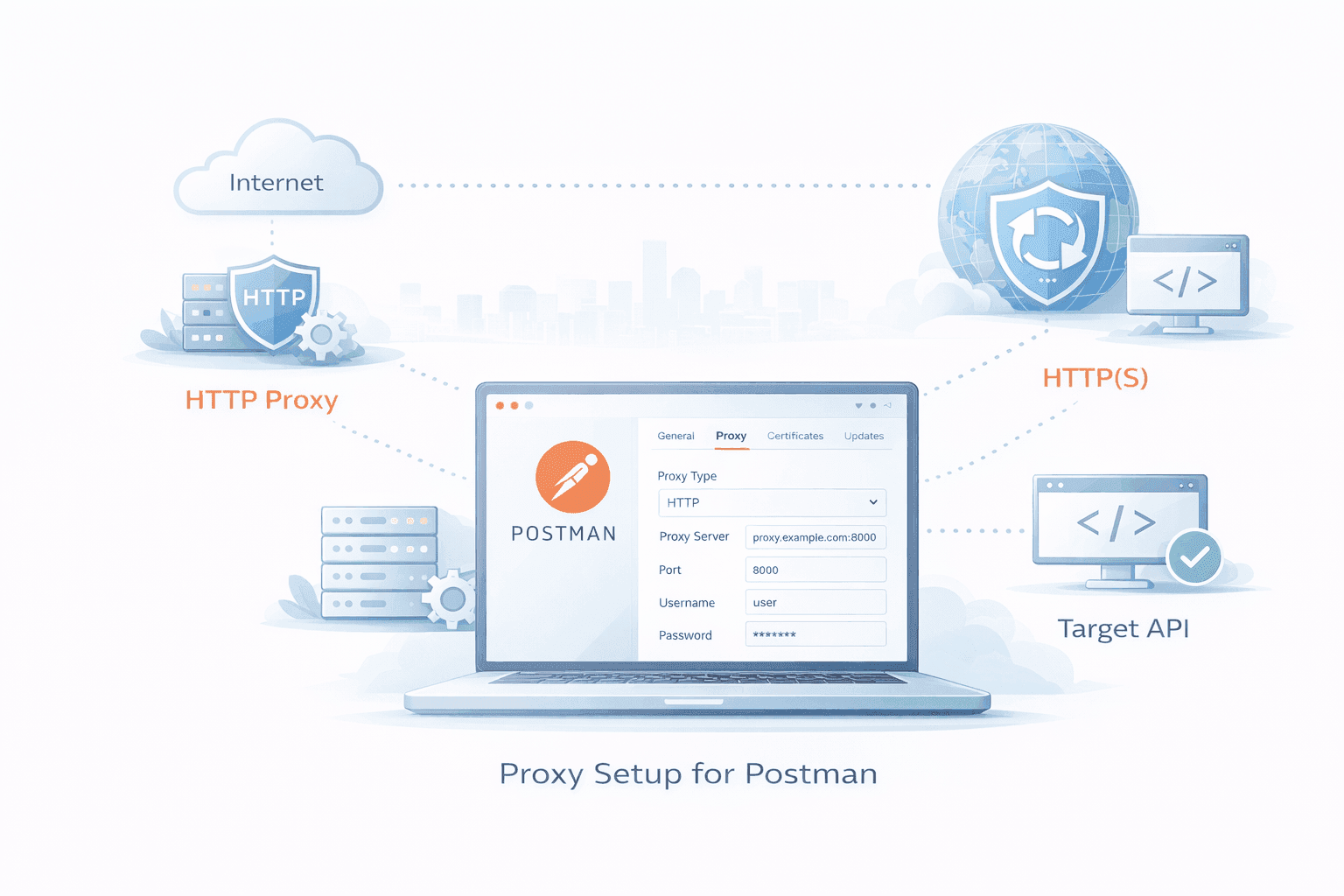
Modern teams test APIs across regions, simulate customer traffic, and route requests through secure gateways. Doing this cleanly in Postman requires the right proxy configuration. This guide walks you through Proxy Setup for Postman, including when to use a proxy, how to configure it step-by-step, and how to troubleshoot issues that slow teams down.
If you’re a marketer validating geo-specific content, a developer behind a corporate firewall, or a data scientist prototyping collection runs, this article helps you get it right—without guesswork.
When and why to use a proxy with Postman
- Geolocation checks: Verify country- or city-specific responses for SEO and localization.
- Access control: Route traffic through a corporate or cloud proxy to meet security policies.
- Data collection: Prototype scraping and enrichment workflows with controlled IPs.
- Traffic shaping: Respect rate limits, isolate noisy tests, or log requests centrally.
The “why” comes first because it guides the “how.” Your choice of proxy type, authentication, and certificate handling depends on your use case and organizational rules.
How Postman handles proxies (core concepts)
Postman can send requests through:
- A custom HTTP/HTTPS proxy you configure inside Postman.
- Your operating system’s proxy (Use system proxy).
Key settings live under Settings → Proxy:
- Use the system proxy: Inherit OS-level proxy and bypass rules.
- Proxy configuration: Specify HTTP/HTTPS proxy host, port, username, and password.
- No proxy: A comma-separated list of hosts that should bypass the proxy.
Important note: Postman does not natively support SOCKS5 proxies in the app-level settings. If you must use SOCKS5, set it at the OS level and enable “Use the system proxy.”
Proxy Setup for Postman: Step-by-Step
Use this sequence the first time, then adapt per workspace.
- Choose your proxy type
- HTTP/HTTPS proxy: Best for most API testing and corporate gateways.
- SOCKS5: Not directly supported in Postman’s proxy dialog; use system proxy if required.
- Residential or mobile egress: Useful for SEO and geo checks; often provided as HTTPS proxies.
- Gather credentials
- Host:Port of your proxy (for example, proxy.example.com:8080).
- Authentication: Username/password, or IP allowlisting if your provider supports it.
- Allowed protocols: Confirm HTTP/HTTPS support; note any blocked destinations.
- Configure Postman
- Open Settings → Proxy.
- Turn off “Use the system proxy” if you want Postman-only proxying.
- Under “Proxy configuration,” enter the HTTP Proxy host and port.
- If your proxy requires auth, add the username and password.
- In “No proxy,” add internal domains that should bypass the proxy (for example, .corp.local).
- Handle certificates
- If the proxy performs TLS inspection, you may need to trust its root CA.
- For temporary debugging, toggle “SSL certificate verification” off in Settings → General, then turn it back on after testing.
- For client certificates (mTLS), add per-host certs in Settings → Certificates.
- Test your egress IP
Send a quick request to confirm you’re routed via the proxy:
GET https://api.ipify.org?format=json
GET https://httpbin.org/ip
You should see the proxy’s public IP.
- Per-request override (optional)
- In newer versions of Postman, you can adjust proxy behavior at the request level via request settings.
- Use this to mix proxied and direct requests in the same collection.
- Timeout and retry settings
- Under Settings → General, tune request timeouts if your proxy adds latency.
- Add retry logic in Pre-request Scripts or use the Collection Runner with delays.
- Keep credentials safe
- Store proxy credentials in Postman environment variables.
- Mask sensitive variables and avoid committing them to shared or public workspaces.
Conceptual flow diagram (text):
Postman client → [HTTP/HTTPS Proxy] → Internet → Target API
If using a corporate proxy with TLS inspection:
Postman → [Corp Proxy (TLS MITM + CA trusted)] → Internet → Target API
Common configurations by use case
- Corporate firewall compliance: Use the corporate HTTP/HTTPS proxy, import the corporate root CA, and define a robust No proxy list for internal hosts.
- SEO and localization checks: Use city- or country-specific proxies. Validate IP and locale headers and compare responses across regions.
- Data collection prototypes: Use rate-limited pools or rotating endpoints. Control concurrency with the Collection Runner.
- QA in cloud runners: If using a CI agent, set environment variables (HTTP_PROXY/HTTPS_PROXY) and enable “Use the system proxy.”
For background on proxy types, see these related guides:
Authentication patterns that work
- Username/password: Enter directly in Postman’s proxy configuration or via variables.
- IP allowlisting: Ask your provider to allow your office or VPN egress IP; leave credentials blank.
- Token-style URLs: Some providers embed credentials in the proxy URL; sanitize these in shared docs.
If you rotate credentials frequently, use environment variables like {{PROXY_USER}} and {{PROXY_PASS}} to avoid manual edits.
Handling HTTPS and certificates
- If the proxy only tunnels TLS (CONNECT), you typically don’t need to import certificates.
- If the proxy intercepts TLS (for DLP or threat scanning), import its root CA into your OS trust store or Postman.
- For client-authenticated APIs, configure client certs per host in Postman.
Temporary toggling of SSL verification is a diagnostic tool, not a permanent fix.
Troubleshooting checklist
- 407 Proxy Authentication Required: Credentials missing or wrong, or IP not allowlisted.
- 502/504 Gateway errors: The proxy can’t reach the target or timed out; test with curl and check provider status.
- ECONNRESET/ETIMEDOUT: MTU or network path issues; try lower timeouts and test a different region.
- SSL errors: Import the proxy’s CA or disable verification temporarily to isolate the cause.
- WebSocket/SSE issues: Some proxies block or fail to tunnel upgrades; test with “Use system proxy” or bypass the proxy for those hosts.
A quick parity test with curl helps isolate Postman vs. network issues:
curl --proxy http://USER:PASS@PROXY_HOST:PROXY_PORT https://httpbin.org/ip
If curl works and Postman doesn’t, revisit Postman’s Proxy and Certificates settings.
Choosing the right proxy for the job
| Use case |
Recommended proxy |
Notes |
| Corporate compliance |
HTTP/HTTPS corporate proxy |
May require CA import and a “No proxy” list |
| Geo testing (SEO/ads) |
Residential or mobile HTTPS |
Best locality fidelity; higher cost |
| High-volume API tests |
Datacenter HTTPS |
Faster, cheaper, more blocks possible |
| SOCKS-required envs |
System proxy (SOCKS) |
Enable “Use the system proxy” in Postman |
Deep dives worth reading:
Scaling collection runs with proxies
- Separate environments per region (us-east, eu-west) and switch proxies accordingly.
- Use pre-request scripts to inject headers that match geo expectations (Accept-Language, X-Forwarded-For if allowed).
- Stagger requests with a delay to respect rate limits and avoid bans.
Example environment variables:
- PROXY_HOST, PROXY_PORT, PROXY_USER, PROXY_PASS
- REGION, BASE_URL
Security and compliance tips
- Principle of least privilege: Limit who can view proxy credentials in shared workspaces.
- Audit logging: Prefer provider proxies that log egress IPs and timestamps for incident response.
- PII hygiene: Avoid sending sensitive identifiers in test payloads, especially when proxies are shared.
- Secrets handling: Store credentials as masked variables; rotate regularly.
Quick reference: minimal working config
- Set HTTP Proxy host and port in Settings → Proxy.
- Add username and password if required, or request IP allowlisting.
- Confirm your egress IP with https://api.ipify.org?format=json.
- Add domains to “No proxy” for internal services.
- Re-enable SSL verification after testing.
Frequently Asked Questions (People Also Ask)
How do I confirm my Proxy Setup for Postman is working?
Send a request to an IP echo service such as https://api.ipify.org?format=json. If the response shows your proxy’s IP instead of your local IP, your configuration is active. You can also compare with a direct (no-proxy) request.
Does Postman support SOCKS5 proxies?
Postman doesn’t support SOCKS5 directly in its proxy configuration. To use SOCKS5, set it as your system proxy and turn on “Use the system proxy” in Postman. Test with curl to ensure the OS-level routing is correct.
Why am I getting a 407 Proxy Authentication Required error?
Your proxy credentials may be missing, incorrect, or your IP isn’t allowlisted. Re-enter the username and password, or ask your provider to allowlist your egress IP. Verify the proxy endpoint and port are correct.
Can I bypass the proxy for certain hosts in Postman?
Yes. Add hosts or domains to the “No proxy” list in Settings → Proxy. This is useful for internal services or destinations that your proxy blocks.
How do I handle certificates when my company intercepts TLS?
You need to trust the corporate proxy’s root CA. Import the CA into your OS trust store or Postman’s certificate settings. As a temporary diagnostic, you can disable SSL verification, but re-enable it afterward.
Will a proxy affect WebSocket or SSE requests in Postman?
Some proxies don’t support or restrict upgrade connections. If WebSocket/SSE fails via proxy, try bypassing the proxy for that host or use the system proxy to inherit OS-level behavior.
What’s the best proxy type for SEO geotesting in Postman?
Residential HTTPS proxies generally provide the most accurate geo representation. They cost more than datacenter IPs but are less likely to be blocked and better mimic real users.
Conclusion
A reliable Proxy Setup for Postman lets teams test APIs across regions, meet corporate security requirements, and prototype data workflows with confidence. Configure the right proxy type, keep credentials secure, validate your egress IP, and use “No proxy” for exceptions. If you’re expanding your setup, explore our related guides on proxy basics, authentication, and rotation to build a robust, repeatable workflow.
If you need help choosing the right approach for your team, start with a small pilot: one region, one environment, one collection. Iterate from there.