

Proxies That Work logo

Proxy Manager Tools Compared (Oxylabs, Bright Data, Open-Source)

By Nicholas Drake12/8/20255 min read

Managing proxies at scale is no longer just “point your scraper at a list of IPs and hope.” As targets add more rate-limiting, bot detection, and geo controls, you need a proxy manager layer that can:

  • Route traffic across multiple providers
  • Rotate and retire IPs intelligently
  • Apply per-target rules and backoff
  • Give observability into success rates, errors, and costs

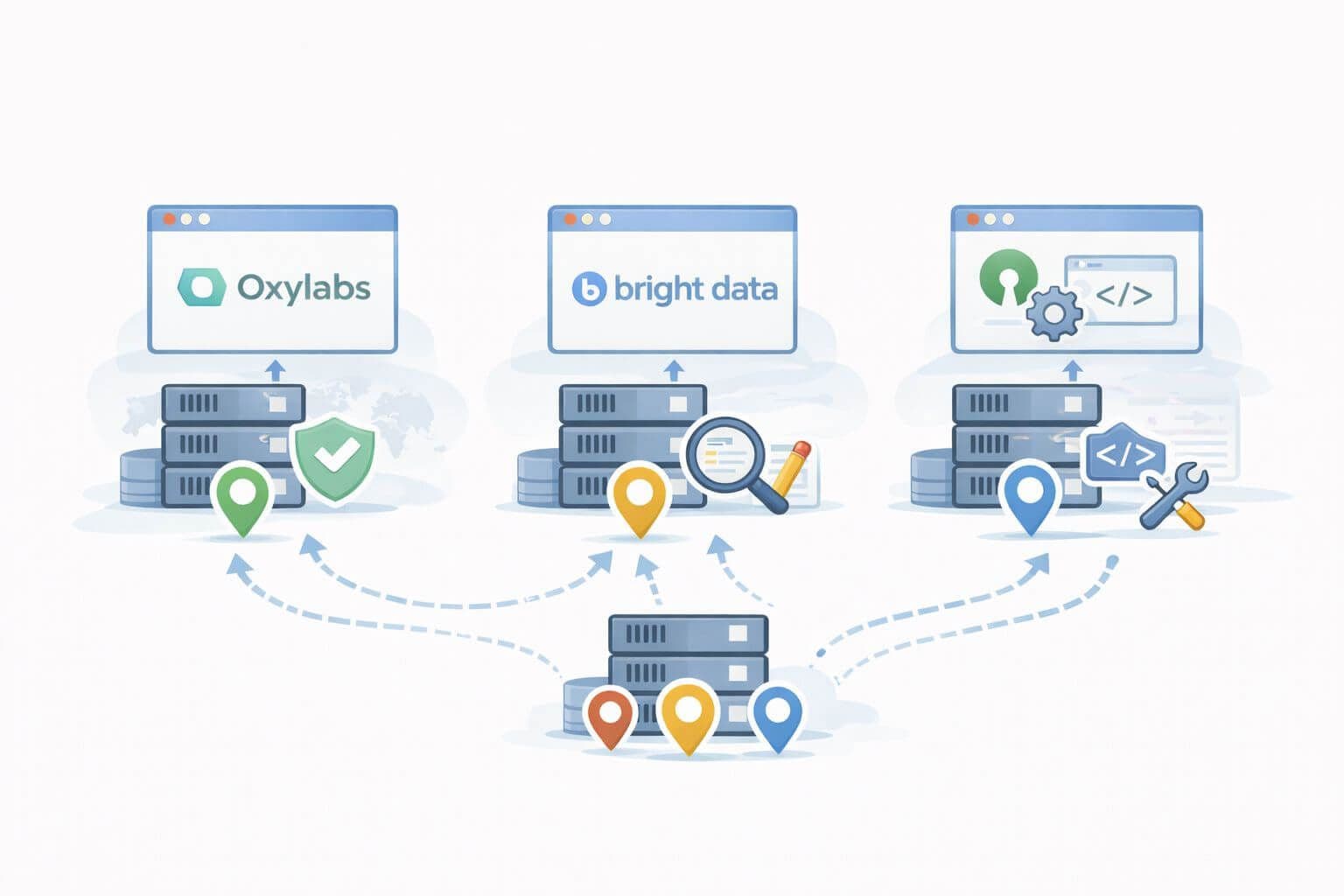
In practice, teams usually end up choosing between:

  1. Vendor-managed proxy managers like Oxylabs
  2. Vendor-managed proxy managers like Bright Data
  3. Open-source or custom proxy managers they host themselves

This article walks through how each approach works, their strengths and trade-offs, and which direction tends to be best for serious automation.


What does a proxy manager actually do?

At a high level, a proxy manager sits between your code and your proxy networks:

Your scraper / bot / app  →  Proxy manager  →  Proxy networks / providers  →  Target sites

A good proxy manager typically provides:

  • Centralized routing
    Route requests across different proxy pools (datacenter, residential, mobile, ISP) based on rules.

  • IP rotation and session handling
    Decide when to rotate IPs, when to maintain sticky sessions, and when to retire “burned” IPs.

  • Per-target rules
    Different rate limits, headers, and retry policies for search engines vs e-commerce vs APIs.

  • Observability and logging
    See success rate, error codes, latency, and bandwidth per target, provider, or project.

  • Multi-provider support (optional)
    Combine multiple vendors (and your own IPs) into one managed plane.

Without this layer, you end up baking these concerns into every scraper or microservice, which doesn’t scale.


Oxylabs Proxy Manager – strengths and trade-offs

Oxylabs offers a proxy manager that is designed as a middle layer in front of their residential, datacenter, and mobile networks.

Strengths

  • Tight integration with Oxylabs networks
    Easy to plug in Oxylabs residential, datacenter, and mobile proxies with sensible defaults.

  • User-friendly UI
    Web dashboard for creating endpoints, viewing metrics, and tweaking rotation or sticky sessions.

  • Per-endpoint configuration
    You can define separate endpoints for different projects or targets with unique:

    • Rotation policies
    • Country or ASN targeting
    • Concurrency limits
  • Built-in observability
    Basic analytics around:

    • Success rate
    • Response times
    • Traffic usage

This is especially helpful for teams who want to avoid building their own control plane and just focus on scraping or data-collection logic.

Trade-offs

  • Vendor lock-in
    The manager is naturally optimized for Oxylabs’ own IPs. Multi-vendor routing is limited or requires extra work.

  • Less granular rule engine than a fully custom setup
    You can define useful rules, but complex per-target logic (for example, cross-provider fallback trees or custom backoff strategies) may still require code on your side.

  • Infrastructure choices are mostly opaque
    You don’t control how the manager itself is hosted, upgraded, or scaled.

Oxylabs’ manager is a strong choice when you’re primarily committed to Oxylabs as a provider and want fast time-to-value with moderate complexity.


Bright Data Proxy Manager – strengths and trade-offs

Bright Data has one of the most feature-rich proxy managers on the market, historically offered as Bright Data Proxy Manager / Luminati Proxy Manager, available as both a hosted and self-hosted component.

Strengths

  • Very granular rule engine
    You can set rules per:

    • Domain or URL pattern
    • Status code or error category
    • Country, ASN, or ISP
    • Response time or bandwidth thresholds

    This enables:

    • Per-site rate limiting
    • Custom retry logic and alternate exit nodes
    • Complex routing based on performance or cost
  • Multi-network support (within the same vendor)
    Easily route traffic across Bright Data’s:

    • Datacenter IPs
    • Residential IPs
    • Mobile IPs
    • ISP or static residential IPs
  • Self-hosted option
    You can run the proxy manager on your own servers or containers, giving more deployment control:

    • On-prem
    • Within your own cloud VPC
    • Behind your own firewalls and logging stack
  • Rich observability
    Detailed dashboards and logs, plus integration with external monitoring tools.

Trade-offs

  • Complexity
    With great flexibility comes more configuration overhead. Teams need to standardize patterns (templates and rule presets) to avoid “spaghetti rules.”

  • Vendor focus
    While you can forward to external proxies, the strongest support and features are centered on Bright Data’s networks.

  • Learning curve
    Power users love it, but juniors may find it overwhelming without clear internal guidelines.

Bright Data’s manager is best when you need fine-grained control, self-hosted options, and are comfortable investing time in configuration and governance.


Open-source and custom proxy managers – strengths and trade-offs

Instead of relying on a vendor-specific manager, many teams build or adopt open-source proxy managers or custom reverse-proxy layers using tools like:

  • HAProxy, Nginx, or Envoy with custom configuration
  • Open-source proxy pools and rotation layers (for example, community projects in Node, Python, or Go)
  • Fully custom “proxy orchestration” microservices that:
    • Pull from multiple vendors’ APIs
    • Maintain IP health state
    • Expose a single internal gateway

Strengths

  • Full provider agnosticism
    You can:

    • Mix multiple vendors (datacenter, residential, mobile)
    • Add your own IPs (VPS, ISP lines, on-prem)
    • Switch vendors or rebalance traffic without changing client code
  • Custom business logic
    Implement exactly the behaviors you need:

    • Cross-vendor fallback (for example, try Provider A → B → C)
    • Dynamic provider selection based on cost or historical success per target
    • Per-customer or per-tenant isolation for B2B products
  • Tight integration with your stack
    Direct hooks into:

    • Logging and observability (Prometheus, OpenTelemetry, ELK)
    • Billing and cost allocation per team or client
    • Feature flags and rollouts

Trade-offs

  • Engineering cost
    You need engineers to design the architecture, implement routing, rotation, and health checks, and maintain and upgrade the system over time.

  • On-call burden
    When your internal manager fails, you are the vendor. Expect on-call load and incident response.

  • Security and compliance
    You own data handling policies, audit logs, and access controls between internal consumers and the manager.

Open-source or custom managers make sense once you’re operating at scale, or if multi-provider strategy and infrastructure control are core to your business.


Feature comparison: Oxylabs vs Bright Data vs open-source or custom

Capability Oxylabs Proxy Manager Bright Data Proxy Manager Open-source or custom layer
Primary focus Oxylabs proxy products Bright Data proxy products Any mix of vendors plus your own IPs
Deployment model Hosted by vendor Hosted or self-hosted Self-hosted (your infrastructure)
Rule engine complexity Moderate (per endpoint and target options) High (rich domain, response, and rule matrix) Whatever you design (from simple to extremely complex)
Multi-vendor routing Limited or indirect Possible but secondary First-class: designed for multi-vendor from day one
Rotation and session handling Built in (per-endpoint rotation options) Built in with fine-grained control Fully custom (you implement policies)
Observability and metrics Built-in dashboards Detailed dashboards plus integrations Fully custom (you integrate with Prometheus, ELK, etc.)
Learning curve Low to medium Medium to high High (engineering plus operations)
Vendor lock-in High High Low (limited by your contracts, not your tooling)
Engineering effort Low (configure, not build) Medium (configuration-heavy) High (design, build, and maintain)
Best for Teams standardizing on Oxylabs quickly Teams needing granular control with Bright Data Teams needing full sovereignty, multi-vendor, and custom behavior

How to choose the right proxy manager strategy

When deciding which approach fits your automation stack, think in terms of maturity levels.

Early stage or prototyping

Characteristics:

  • One or two providers
  • A handful of scrapers or automation jobs
  • Limited internal SRE or platform capacity

Recommended approach:

  • Use the vendor’s own proxy manager (Oxylabs or Bright Data).
  • Start with simple endpoint-per-use-case patterns:
    • One endpoint for SERP scraping
    • One for e-commerce
    • One for monitoring

Why: you get fast time-to-value and can validate that your business case works before investing in heavier infrastructure.

Growing, multi-team environment

Characteristics:

  • Multiple internal teams using proxies
  • Several critical workflows (SEO, pricing, review monitoring, QA)
  • Need for cost tracking and per-target tuning

Recommended approach:

  • Use Bright Data’s manager or Oxylabs’ manager if you’re vendor-concentrated.
  • Start defining internal standards:
    • Naming conventions for endpoints
    • Rule templates per target type
    • Shared guidelines for timeouts, retries, and concurrency

Why: you need more control and governance, but your organization may not be ready to own a fully custom multi-vendor layer.

Advanced, platform-level integration

Characteristics:

  • Proxies are core infrastructure for your product or platform
  • You use multiple vendors and your own IP base
  • You care about vendor diversification, internal chargeback, and deep observability and SLOs

Recommended approach:

  • Build or adopt a custom or open-source proxy manager that:
    • Abstracts vendors behind a unified internal API
    • Implements provider and IP health scoring
    • Handles routing, rotation, and backoff centrally

You can still pair this with vendor managers behind the scenes, but your internal clients see only one consistent interface.


Frequently asked questions

Do I really need a proxy manager, or is a simple proxy list enough?

For very small scripts and low-volume workloads, a simple proxy list with basic rotation might be enough. As soon as you are running multiple jobs, touching multiple targets, or depending on proxies for business-critical processes, a dedicated proxy manager becomes essential for stability, observability, and cost control.

Which is better for a small team: Oxylabs or Bright Data’s proxy manager?

If your primary goal is to get up and running quickly on a single vendor, either tool can work. Oxylabs tends to appeal to teams that want straightforward control with strong support and clear defaults. Bright Data’s manager is better suited if you know you will need more granular per-target rules and potentially self-hosted deployment in the near future.

When does it make sense to build an open-source or custom proxy manager?

It makes sense when proxies are strategic infrastructure for your product, when you need to mix multiple vendors and your own IPs, or when you must tightly integrate routing and cost allocation with internal systems. If your team does not have the engineering bandwidth or on-call coverage for that responsibility, a vendor manager is usually the safer choice.

Can I combine vendor proxy managers with my own manager?

Yes. Some advanced teams run an internal gateway that talks to one or more vendor proxy managers behind the scenes. This gives them a unified interface for internal consumers while still leveraging each vendor’s native rotation, auth, and rule capabilities. It adds complexity but can be powerful for large organizations.

How do proxy managers affect compliance and logging?

Proxy managers centralize outbound traffic, making it easier to implement consistent logging, rate limits, and policies. However, they also become a key compliance surface: you need clear retention policies, access controls, and audit logs for who uses which exit IPs against which targets. Self-hosted managers give you more direct control; vendor-managed ones offload some responsibilities but require careful review of the vendor’s data handling practices.


Quick setup tips

  • Start with a single local endpoint and scale outward; complexity grows quickly.
  • Instrument from day one: capture target hostname, HTTP method, status code, response time, and provider used.
  • Treat 403 and 429 as signals, not failures: add backoff, rotate, and consider lower concurrency for that target.
  • Maintain per-target profiles: headers, cookies, session policy, and rotation rates.

Bottom line

All three paths can deliver high success rates. Oxylabs emphasizes straightforward control with strong support, Bright Data leans into deep rule-based tuning, and open-source gives you sovereignty at the cost of engineering effort. Your best choice aligns with your operational maturity: adopt a managed manager for speed and support, or build your own when customization and portability become strategic advantages.

Disclaimer: Features and behaviors evolve. Always consult each vendor’s latest documentation and align usage with legal, ethical, and contractual obligations.

Proxy Manager Tools Compared (Oxylabs, Bright Data, Open-Source)

About the Author

N

Nicholas Drake

Nicholas Drake is a seasoned technology writer and data privacy advocate at ProxiesThatWork.com. With a background in cybersecurity and years of hands-on experience in proxy infrastructure, web scraping, and anonymous browsing, Nicholas specializes in breaking down complex technical topics into clear, actionable insights. Whether he's demystifying proxy errors or testing the latest scraping tools, his mission is to help developers, researchers, and digital professionals navigate the web securely and efficiently.

Proxies That Work logo
© 2025 ProxiesThatWork LLC. All Rights Reserved.