

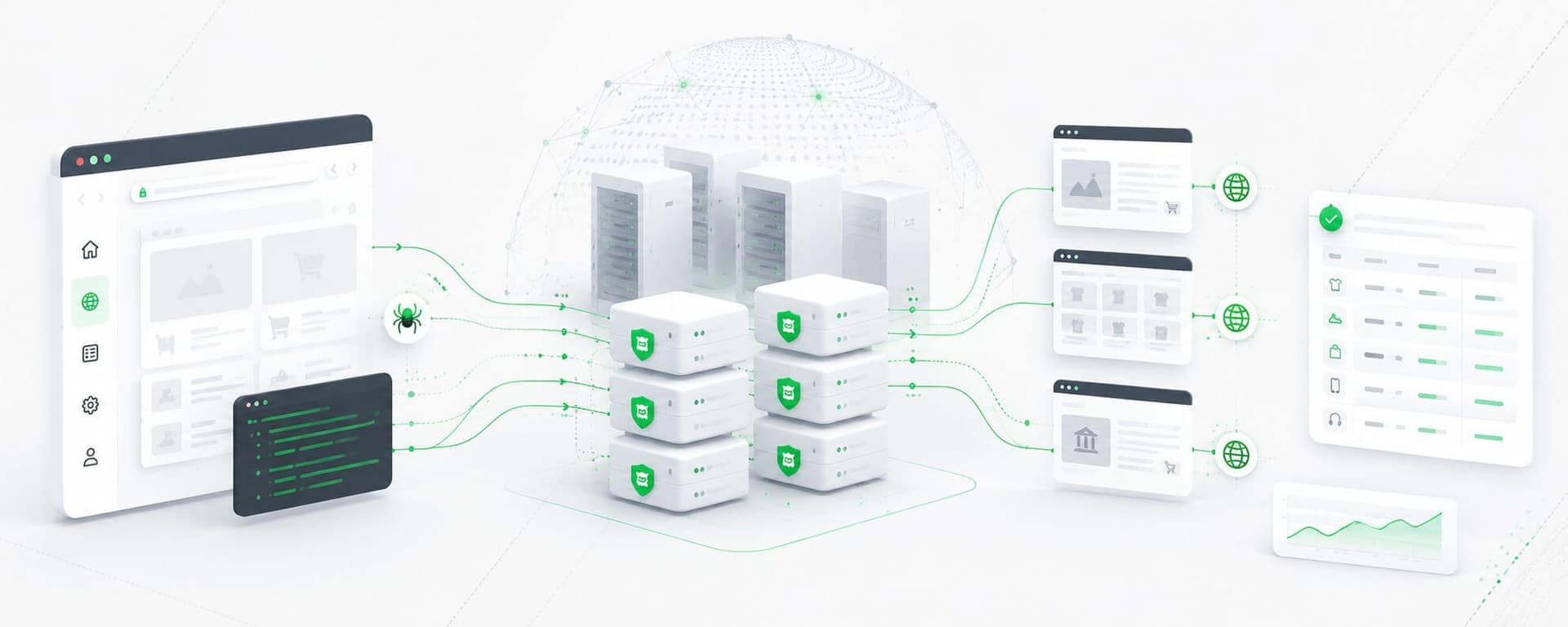
Datacenter proxies are one of the most practical network layers for web scraping when the target accepts traffic from hosting networks.
They offer high throughput, predictable IP inventory, low latency, and relatively inexpensive capacity. But simply adding a proxy address to a scraper does not create a reliable scraping system.
Production scraping requires several layers working together:
Crawler → Request Scheduler → Proxy Allocator → Datacenter Proxy Pool → Target → Validation → Metrics
The proxy pool is only one part of that architecture.
A reliable implementation must also decide:
This guide walks through that implementation from a basic proxy request to a production-ready datacenter proxy pool.
A datacenter proxy routes scraper traffic through an IP address associated with hosting or server infrastructure rather than the scraper's original network.
Without a proxy:
Scraper
   ↓
Target Website
With a datacenter proxy:
Scraper
   ↓
Datacenter Proxy
   ↓
Target Website
The destination sees the proxy's public IP address.
A proxy endpoint commonly consists of:
HOST:PORT
For example:
203.0.113.10:8080
Authenticated proxies may additionally require:
username
password
or IP-based authorization.
The main benefit for scraping is not simply masking the crawler's origin address. A pool of datacenter proxies gives the application multiple controllable outbound network identities that can be distributed across crawling jobs.
Datacenter proxies work particularly well when:
Typical workloads include:
They are less suitable when a target specifically requires residential or mobile network characteristics.
The right first question is therefore not:
Which proxy type is hardest to detect?
It is:
What is the least expensive proxy architecture that reliably satisfies this workload?
For compatible targets, datacenter infrastructure often provides the strongest economics. The separate cheap datacenter proxy economics guide covers that buying decision in more depth.
A small scraper may begin with:
Crawler
  ↓
Proxy
  ↓
Website
A production system usually needs more structure:
                URL Queue
                   ↓
             Crawl Scheduler
                   ↓
              Worker Pool
                   ↓
             Proxy Allocator
                   ↓
         Datacenter Proxy Pool
                   ↓
              Target Sites
                   ↓
            Response Validation
                   ↓
              Data Storage
                   ↓
             Metrics / Health
                   ↓
             Proxy Allocator
The feedback loop is critical.
Without it, the application merely sends requests through proxies.
With it, the application can identify degraded proxies, reduce request pressure, place addresses into cooldown, and recover automatically.
Before debugging an application, verify that the proxy itself works.
A simple curl request is useful:
curl -x http://203.0.113.10:8080 https://example.com
For username/password authentication:
curl -x http://username:password@203.0.113.10:8080 https://example.com
Test an IP-check endpoint if you need to confirm that outbound traffic actually uses the proxy.
You should verify:
This isolates network problems before introducing application code.
Python Requests supports proxies through its proxies argument.
A simple implementation looks like:
import requests

proxy_url = "http://203.0.113.10:8080"

proxies = {
    "http": proxy_url,
    "https": proxy_url,
}

response = requests.get(
    "https://example.com",
    proxies=proxies,
    timeout=(5, 20),
)

print(response.status_code)
The first timeout value controls connection establishment, while the second controls how long the client waits for response data.
The official Requests documentation also supports configuring proxies per request or session. Explicit per-request configuration is particularly useful when multiple proxies are being selected dynamically.
import requests

proxy_url = "http://username:password@203.0.113.10:8080"

proxies = {
    "http": proxy_url,
    "https": proxy_url,
}

response = requests.get(
    "https://example.com",
    proxies=proxies,
    timeout=(5, 20),
)

print(response.status_code)
In production, credentials should come from a secrets manager or environment variable rather than being hardcoded into source code.
A single proxy provides little fault tolerance.
Suppose the crawler receives a list such as:
203.0.113.10:8080
203.0.113.11:8080
203.0.113.12:8080
203.0.113.13:8080
203.0.113.14:8080
A minimal round-robin selector can distribute requests across them.
from itertools import cycle
import requests

proxy_pool = [
    "http://203.0.113.10:8080",
    "http://203.0.113.11:8080",
    "http://203.0.113.12:8080",
]

proxy_cycle = cycle(proxy_pool)

def fetch(url):
    proxy = next(proxy_cycle)

    response = requests.get(
        url,
        proxies={
            "http": proxy,
            "https": proxy,
        },
        timeout=(5, 20),
    )

    return response
This demonstrates rotation, but it is not yet production-ready.
A good proxy allocator must know which addresses are healthy.
Treat each proxy as an infrastructure resource with state.
Instead of storing only:
IP
Port
store metadata such as:
IP
Port
Status
Success rate
p95 latency
Last success
Last failure
Consecutive failures
Cooldown expiration
Current sessions
A simplified model might look like:
proxy = {
    "url": "http://203.0.113.10:8080",
    "successes": 97,
    "failures": 3,
    "consecutive_failures": 0,
    "status": "healthy",
}
The allocator should prefer healthy addresses rather than treating all proxies equally.
A useful proxy lifecycle is:
Healthy
   ↓
Active
   ↓
Degraded
   ↓
Cooldown
   ↓
Retest
   ↓
Healthy
Suppose a proxy produces three consecutive connection failures.
Instead of permanently deleting it:
This prevents temporary network problems from permanently shrinking the pool.
A full scalable proxy pool architecture can extend this model with weighted selection, health scoring, segmentation, and failover.
One of the most common mistakes in proxy-backed scraping is:
Request fails
     ↓
Switch IP
     ↓
Retry immediately
That assumes every failure is IP-related.
It is not.
Different errors require different responses.
| Failure | Better Response |
|---|---|
| 407 | Fix proxy authentication |
| 403 | Diagnose access/session issue |
| 429 | Slow down |
| 500 | Usually inspect target/server |
| 502 | Retry carefully and check gateway |
| 503 | Backoff |
| 504 | Investigate latency |
| Connect timeout | Consider another healthy proxy |
| DNS error | Fix resolver/configuration |
| TLS failure | Fix protocol or certificate issue |
The correct workflow is:
Failure
   ↓
Classify error
   ↓
Choose response
   ↓
Retry / slow down / rotate / fail
The broader proxy error troubleshooting guide covers these failure classes in detail.
Retries are necessary, but uncontrolled retries can turn one failure into a traffic spike.
Use:
For example:
Attempt 1 → fail
wait 2 seconds

Attempt 2 → fail
wait 4 seconds

Attempt 3 → fail
wait 8 seconds

Stop
Do not allow:
while request_failed:
    retry()
A retry should exist because the failure is likely to be temporary.
Total requests per second is not the only capacity limit.
Concurrency also matters.
Imagine:
100 crawler workers
        ↓
10 proxies
If all workers can select the same proxy simultaneously, one address may suddenly handle dozens of active connections.
A better allocator limits:
max active requests per proxy
and:
max active requests per domain
For example:
Proxy A → maximum 5 active requests
Proxy B → maximum 5 active requests
Proxy C → maximum 5 active requests
When every proxy reaches capacity, new work waits in the queue.
This is safer than continuing to create connections without limit.
Not every crawl should rotate IPs request by request.
Suppose the sequence is:
Category Page
    ↓
Product Page
    ↓
Variant Page
If those requests belong to one logical session, retaining the same proxy may produce more consistent behavior.
A sticky allocation model can look like:
Session A → Proxy 12
Session B → Proxy 38
Session C → Proxy 74
The allocator maintains that mapping until:
Per-request rotation is better suited to independent, stateless requests.
Scrapy includes HTTP proxy middleware.
The framework allows the proxy to be specified per request through the request's meta["proxy"] value. The official Scrapy documentation also supports proxy authentication in the proxy URL.
Example:
import scrapy

class ProductsSpider(scrapy.Spider):
    name = "products"

    start_urls = [
        "https://example.com/products"
    ]

    def start_requests(self):
        proxy = "http://203.0.113.10:8080"

        for url in self.start_urls:
            yield scrapy.Request(
                url=url,
                meta={
                    "proxy": proxy,
                    "download_timeout": 20,
                },
                callback=self.parse,
            )

    def parse(self, response):
        self.logger.info(
            "Status: %s",
            response.status,
        )
For rotation, do not place arbitrary selection logic throughout every spider.
A cleaner architecture uses downloader middleware or a dedicated proxy allocator.
Conceptually:
Scrapy Spider
     ↓
Downloader Middleware
     ↓
Proxy Allocator
     ↓
Proxy Pool
This keeps network policy separate from extraction logic.
Some websites require browser execution because important content is rendered client-side.
Playwright supports HTTP(S) and SOCKS proxy configuration at the browser or browser-context level.
For Python:
from playwright.sync_api import sync_playwright

with sync_playwright() as p:
    browser = p.chromium.launch(
        proxy={
            "server": "http://203.0.113.10:8080",
            "username": "username",
            "password": "password",
        }
    )

    page = browser.new_page()

    page.goto(
        "https://example.com",
        wait_until="domcontentloaded",
    )

    print(page.title())

    browser.close()
Browser workflows are typically stateful.
They maintain:
Changing IPs in the middle of one browser workflow can create inconsistent application state.
A better design is:
Create browser context
        ↓
Assign proxy
        ↓
Run workflow
        ↓
Close context
        ↓
Select next proxy
Use an HTTP client rather than a full browser whenever server-rendered HTML provides the required data.
Browsers consume substantially more:
A common scraping architecture combines networking and data extraction in one function:
fetch()
parse()
store()
At scale, separate those responsibilities.
A stronger architecture is:
URL Queue
   ↓
Fetcher
   ↓
Raw Response
   ↓
Parser
   ↓
Validator
   ↓
Structured Record
This has an important benefit.
If extraction logic changes, you may be able to reprocess recently stored responses without downloading the page again.
That reduces:
HTTP 200 OK does not necessarily mean the scrape succeeded.
The response might contain:
Validate expected data.
For example:
def is_valid_product(data):
    return (
        data.get("name") is not None
        and data.get("price") is not None
    )
A request should count as successful only when the required data was collected correctly.
This changes the most important metric from:
HTTP success rate
to:
Valid-data success rate
The cheapest request is often the request you never send.
Before fetching a URL, determine whether it has already been collected recently.
Useful controls include:
ETag;Last-Modified;Consider:
example.com/product/42
example.com/product/42?utm_source=test
These may represent the same underlying resource.
Normalization prevents the crawler from wasting proxy capacity on duplicate pages.
A basic scraper may use:
random.choice(proxy_pool)
That is simple, but not optimal.
Random selection does not consider:
A better allocator can score candidates.
Conceptually:
Score =
    health
  + availability
  + target history
  + latency
  - active load
  - recent failures
The highest-scoring appropriate proxy receives the request.
This turns a proxy list into managed infrastructure.
Avoid placing every crawler into the same undifferentiated pool.
For example:
Datacenter Proxy Inventory
├── Product Crawling
├── Price Monitoring
├── SEO Monitoring
├── QA
└── Failover
Benefits include:
A high-frequency crawler should not accidentally degrade IPs being used for production QA.
Every production scraper should expose proxy-specific telemetry.
Track at minimum:
The most useful metric is often:
Cost per valid result = total collection cost ÷ validated records
That connects infrastructure performance directly to useful output.
Sending millions of URLs directly from one process makes reliability difficult.
A queue allows work to be:
Architecture:
                  Scheduler
                     ↓
                  Job Queue
            ┌────────┼────────┐
            ↓        ↓        ↓
         Worker 1 Worker 2 Worker 3
            └────────┼────────┘
                     ↓
              Proxy Allocator
                     ↓
                 Proxy Pool
Workers should request work only when they have capacity.
This prevents uncontrolled concurrency.
Suppose one domain begins returning:
70% 429
or:
80% timeouts
Continuing to send traffic at the same rate is unlikely to help.
A circuit breaker can temporarily stop or reduce requests when failure thresholds are exceeded.
Example:
Normal
  ↓
Failure threshold exceeded
  ↓
Circuit open
  ↓
Pause requests
  ↓
Wait
  ↓
Limited test traffic
  ↓
Healthy?
  ├── Yes → resume
  └── No  → remain paused
This prevents temporary issues from turning into retry storms.
Do not move directly from:
1,000 requests/day
to:
5,000,000 requests/day
Scale in stages.
For example:
1 worker
   ↓
5 workers
   ↓
20 workers
   ↓
50 workers
   ↓
Production
At each stage measure:
Stop increasing concurrency when additional traffic no longer produces proportional useful output.
There is no universal best rotation policy.
Best for:
Best for:
Best for:
Best for:
Best when different targets require different policies.
A more detailed implementation guide is available in how to rotate datacenter proxies using automation tools.
Do not choose the pool size arbitrarily.
Start with:
A simplified model is:
Required pool size ≈ required request rate ÷ sustainable request rate per proxy
But production systems should maintain spare capacity.
If a crawl requires every proxy to operate at maximum utilization, it has little tolerance for:
The goal is not maximum proxy utilization.
It is sustainable utilization with sufficient reserve.
Allocation model also matters.
One customer controls the assigned IP.
Advantages include:
Multiple customers may use the same address.
Advantages usually include lower cost.
Trade-offs may include:
The best model depends on the target and cost requirements.
HTTP proxies are usually straightforward for HTTP-based scraping.
SOCKS provides a lower-level transport option and can support applications beyond HTTP.
For most web scraping:
HTTP/HTTPS proxies are sufficient.
SOCKS may be useful when:
Do not choose SOCKS merely because it sounds more advanced.
Use the simplest protocol compatible with the application.
DNS behavior can change depending on the proxy protocol and client.
With SOCKS clients, for example, some configurations resolve the target hostname locally while others send DNS resolution through the proxy.
Requests documents the distinction between socks5:// and socks5h://, with the latter allowing hostname resolution through the proxy.
This matters when:
Always know where DNS is happening.
Proxy credentials should be treated like infrastructure secrets.
Do not place them directly in:
Prefer:
Also consider:
Avoid logging full proxy URLs if they contain credentials.
A technically successful request is not automatically an appropriate request.
Production crawlers should evaluate:
robots.txt where applicable.The Robots Exclusion Protocol is standardized in RFC 9309 as a mechanism through which services communicate crawler preferences, while the specification explicitly notes that robots.txt is not an access-authorization mechanism.
Treat proxy infrastructure as a networking tool, not a substitute for appropriate access decisions.
Changing IPs on every request can break workflows that need session continuity.
An undersized pool concentrates traffic and leaves little spare capacity.
Purchasing thousands of addresses that remain idle wastes budget.
A 403 may result from access policy, session state, authentication, geography, or other application rules.
A 429 is a rate-limit signal.
Changing IPs without reducing traffic can simply distribute excessive request pressure across more addresses.
Some failures should not be retried.
Classification must happen first.
Validate expected content before counting the request as successful.
Browser automation should be reserved for pages that require browser execution.
If you cannot measure individual proxy performance, you cannot identify pool degradation effectively.
Segment important or incompatible crawling jobs.
A mature implementation can look like:
                       Scheduler
                           ↓
                       URL Queue
                           ↓
                    Priority / Rate
                        Controller
                           ↓
                     Worker Fleet
                           ↓
                    Proxy Allocator
              ┌────────────┼────────────┐
              ↓            ↓            ↓
          Pool A         Pool B      Failover
              └────────────┼────────────┘
                           ↓
                      Target Sites
                           ↓
                   Response Validator
                           ↓
                 Parser / Normalizer
                           ↓
                      Data Store
                           ↓
                  Metrics / Monitoring
                           ↓
                    Health Scoring
                           ↓
                    Proxy Allocator
This architecture separates:
Each component can scale independently.
Before moving a scraper into production, verify:
Yes, when target websites accept datacenter traffic. They are especially useful for high-volume workloads because they provide high throughput, large IP inventories, and relatively predictable costs.
Pass the proxy URL through the proxies argument for HTTP and HTTPS requests. Configure explicit connection and read timeouts and handle failures separately from the extraction logic.
Not always. Per-request rotation works well for independent requests, while sticky sessions are better for workflows involving cookies, authentication, or multi-step navigation.
Pool size depends on request volume, crawl completion time, concurrency, target behavior, retries, and desired spare capacity. There is no universal number.
Use the simplest tool that can retrieve the required content. Requests works well for lightweight HTTP collection, Scrapy provides a complete crawling framework, and Playwright is useful when browser execution or JavaScript rendering is genuinely required.
Classify the failure first. Network failures may justify another proxy, while 429 should usually trigger backoff and authentication errors require configuration fixes. Repeatedly failing proxies can enter cooldown and be retested later.
They provide more control over utilization and IP history, but they may cost more than shared addresses. The right choice depends on workload requirements and measured performance.
Measure valid-data success rate, HTTP errors, timeouts, latency percentiles, retry volume, utilization, crawl completion, and cost per successful result.
Yes. Playwright supports proxy configuration at browser and browser-context level, including HTTP(S) and SOCKS proxies.
For production systems, cost per valid result is usually more useful than raw proxy price, average latency, or HTTP success rate.
Web scraping with datacenter proxies is not simply:
pick proxy
send request
rotate IP
A production implementation is a feedback-driven system:
schedule → allocate → request → validate → measure → adapt
Datacenter proxies provide the network capacity. Reliability comes from the software around them.
A strong implementation combines:
When the target accepts datacenter traffic, this architecture can deliver high throughput at a predictable cost while remaining substantially simpler and less expensive than automatically routing every workload through more specialized networks.
Teams ready to deploy large-scale datacenter capacity can compare bulk proxy plans based on pool size, expected utilization, and the needs of the actual scraping workload.
Nicholas Drake is a seasoned technology writer and data privacy advocate at ProxiesThatWork.com. With a background in cybersecurity and years of hands-on experience in proxy infrastructure, web scraping, and anonymous browsing, Nicholas specializes in breaking down complex technical topics into clear, actionable insights. Whether he's demystifying proxy errors or testing the latest scraping tools, his mission is to help developers, researchers, and digital professionals navigate the web securely and efficiently.